One account for the short-form loop
Find what works.
Make it yours.
Research what works, then turn an idea, a template or a long video into an editable 9:16 short.
Private beta · invite required
Template sample manually edited from original AI footage to its storyboard. Clip export from Big Buck Bunny © 2008 Blender Foundation, CC BY 3.0. No reach claims.
- Find
- Make
- Post
- Learn
01 / How it works
Four stages.
Shown in the product.
Find, Make, Post, Learn. Each picture below is a cropped screenshot of the working app, captured in a test workspace. They show the interface you use, not a result anyone got.
-
01Find / Research
Find a post worth studying. Keep the evidence.
Search public YouTube short-form candidates with their source, publish date and dated public counts. Save one as a brief with its hook, build, payoff and your own angle.
Live · YouTube only
- Source link and preview kept with the idea
- Public counts as a dated snapshot, never a trend claim
- One click from brief to a populated Create draft
Product screenshot · test workspaceResearch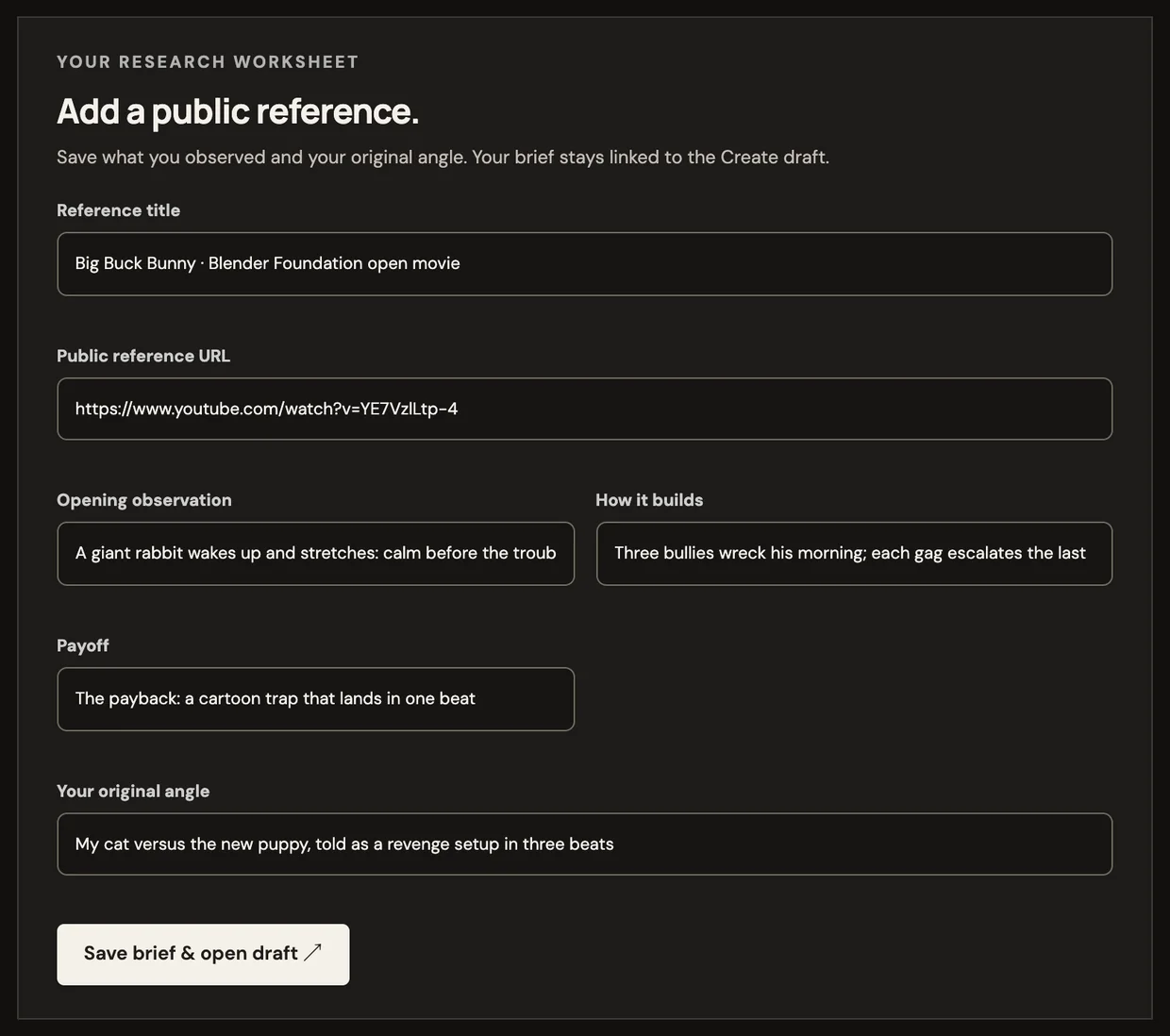
The brief worksheet, filled in for a public video. YouTube search results are not pictured: this test workspace has no YouTube key. -
02Make / Create
Direct a storyboard before anything renders.
Start from a brief, an idea, a script or a template. Create opens a populated draft: scenes, narration, visual direction and timing you can change, with a cost estimate before any paid generation.
Live
- Voice, captions and music before you render
- Model choice and an estimate; the local preview costs $0.00
- Change one scene without redoing the others
Product screenshot · test workspaceCreate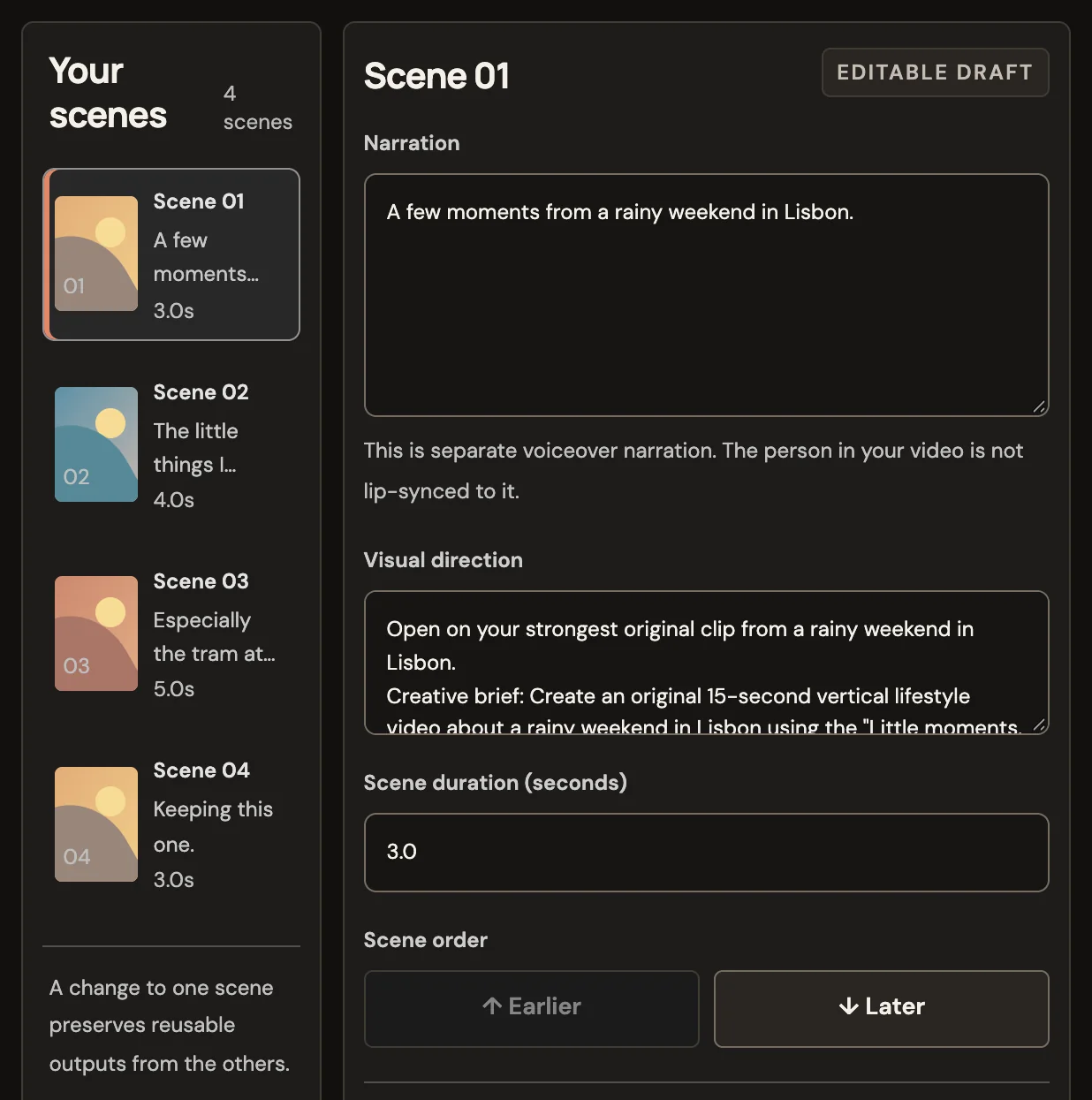
The Little moments, lately template opened with “a rainy weekend in Lisbon”. Scene tiles stay placeholders until you generate a preview. -
02Make / Clip
Or cut the moments that stand on their own.
Import a YouTube link or a video file up to 60 minutes. Clip ranks the moments from the transcript, scenes, motion and loudness, and every score comes with its reasons. Then trim, reframe, caption and mix, and export a 1080×1920 MP4, one clip or a batch.
Live
How Clip worksProduct screenshot · test workspaceClip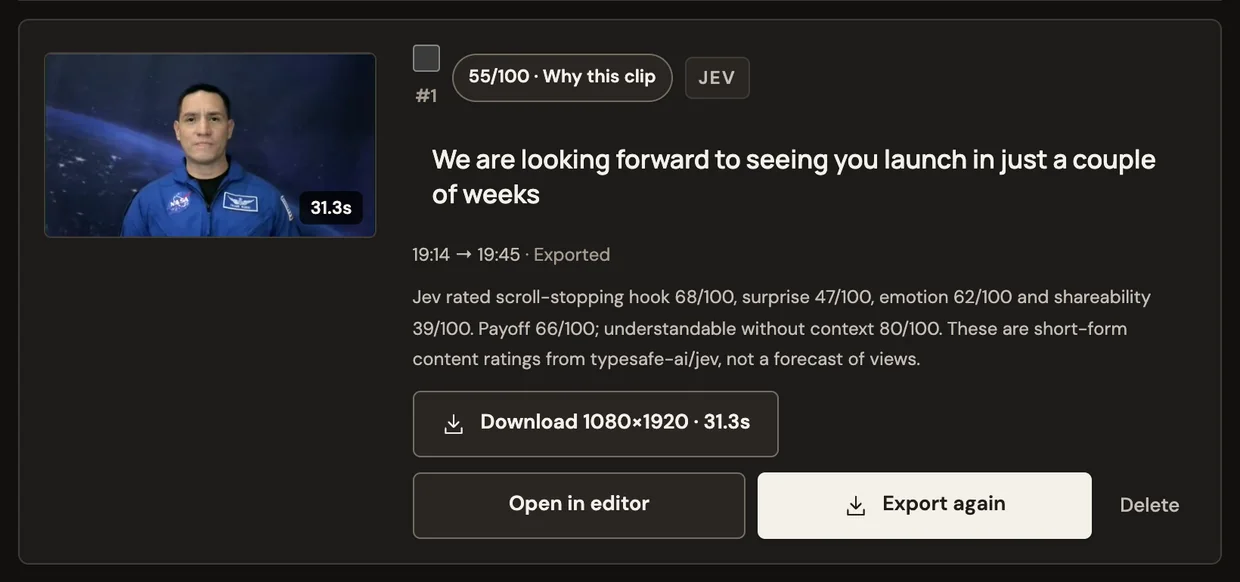
The top-ranked of ten moments Clip found in a 20-minute NASA news conference (public domain). -
03Post / Publish
Get it out with the copy already drafted.
Download the MP4, or send a revocable share link with draft captions and hashtags for Shorts, TikTok and Reels. Connected YouTube, TikTok and Instagram scheduling is built and waiting on platform approval.
Share links live · scheduling awaiting approval
Open Publish04Learn / Results
Compare a post with your own channel.
Log each post with its link and the numbers you see. After five comparable posts, a new one is compared with your own channel’s baseline, not someone else’s reach.
Post log live · metric sync awaiting approval
Open ResultsProduct screenshot · test workspacePublish Product screenshot · test workspaceResults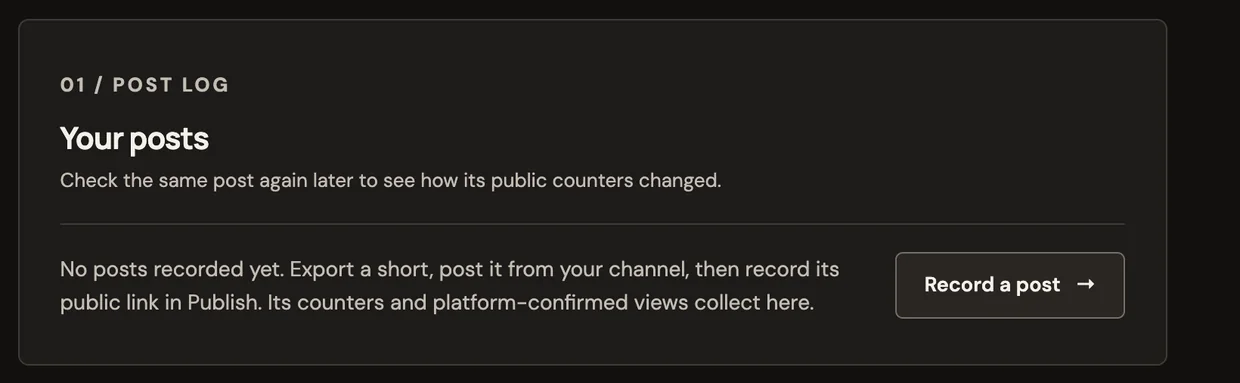
Recording a post you published yourself, then the post log it feeds. Channel connections are not set up in this test workspace, so the log is empty.


Also in your account
- Auto draftsLive
Pick a niche and Create prepares a reviewable draft from a fresh source each day. Nothing generates or posts until you choose.
- Company workspacesLive
Invite teammates with one-use links and assign who manages each channel. A listed handle is a plan, not a platform connection.
- AvatarsWhere portrait generation is enabled
Describe a recurring character, generate and save a portrait, then use it in a Create scene. Off in workspaces without a portrait model.
Then take what you learned into the next brief. Nothing in the loop posts for you.
02 / Make, from what you have
Start from what’s
already on your desk.
An idea, a script, a template or a long video. Each tab shows the exact input next to a playable output, and says how that output was made.
“An unbranded chrome perfume bottle on wet black coastal stone. The camera makes a slow quarter orbit as water ribbons around its base.”
In Create, an idea becomes an editable storyboard: scenes, narration and visual direction you change before anything renders. The output here is one generated scene from the full version of this prompt.
- Canvas
- 9:16 or 16:9
- Length
- 5 to 60 seconds
- Look
- Editorial · cinematic · minimal
- Sound
- Voiceover, captions, music
- An idea begins beneath the surface.
- Then takes the long way around.
- Somewhere, it starts to open.
- Where could yours go?
Paste your own lines as source text and Create splits them into scenes you can direct. This sample matches the script line for line.
- Name the choice. Two ways to approach a quiet reset.
- Option A. Option one: a slow coffee.
- Option B. Option two: a blue-hour ride.
- Pick a side. Which one fits your day?
Highlighted words are the template’s fields. Replace them and the timed beats carry your version into a populated draft.
Sintel (2010) 14:48 · 1280×544 · CC BY 3.0
- Import a YouTube link or upload a file.
- Transcript, scene, motion and loudness signals are measured.
- Ranked moments arrive with the reason each was picked.
- Trim, reframe to 9:16, style captions, mix audio, export.
03 / Examples
Watch it before
you make it.
Every sample says exactly what it is: a template sample edited by hand to its storyboard, or a real Clip export from an openly licensed film. None of them comes with a reach claim.
-
00:15
-
00:15
-
00:15
-
00:18
-
00:56
-
00:39
Template samples were edited by hand from original AI footage and cleared music; they are not generated from a visitor’s input. Big Buck Bunny © 2008 Blender Foundation / www.bigbuckbunny.org and Sintel © Blender Foundation are licensed CC BY 3.0.
04 / Good to know
Straight answers
before you start.
If something is still waiting on a platform, it says so here and in the product.
Who owns what I make?
Your uploads, scripts, briefs and edits stay in your account, and exports download as ordinary MP4 files you post from your own channels. Generated footage is also subject to the terms of the model provider used, which Create names before you generate. Only import footage you have the rights to use.
How do credits work?
Loopline is in a private beta, so signup needs an invited email or a company invitation. New accounts get a one-time $3 starter credit, and signup doesn’t ask for a card. Before any paid generation, Create shows the available models and an estimate. The local fixture preview costs $0.00, so you can shape a storyboard before spending anything.
What’s live today, and what’s still waiting?
Live: YouTube research and briefs, Create, templates, Clip, MP4 export, share links, the post log and scheduled daily drafts. Waiting: connected posting and metric sync for YouTube, TikTok and Instagram are built but need each platform’s app approval. Until then, you download and post yourself.
Which platforms does it work with?
Exports are 9:16 for YouTube Shorts, TikTok and Instagram Reels, and share pages carry draft copy for all three. Research searches public YouTube only; it doesn’t claim a post is a Short or that it went viral, it shows the source and dated counts.
What formats can I export?
Clip exports 1080×1920 MP4s, one clip or a batch. Create renders MP4 in 9:16 or 16:9. Clip caption styles, reframing and audio mixes are applied in the export.
Are the videos on this page real outputs?
Each one is labelled. Clip exports are real exports from openly licensed films. Template samples were edited by hand from original AI footage to match their storyboards; they show the format, not a generated result from your input. Motion studies are single generated scenes.
Will anything post automatically?
No. Scheduled drafts are shot plans that wait in Create for your review; nothing generates or publishes until you choose. On days with no fresh source that fits your niche, no draft is made. Connected scheduling, once approved, will post only what you queue.
Your next short
Start the loop
with one short.
Watch a sample, open its draft, make it yours. Then post it and see what you learn.
Private beta · invite required