Viral Shorts Search
Search public YouTube Shorts in a niche and see dated view countsa niche → dated resultsLive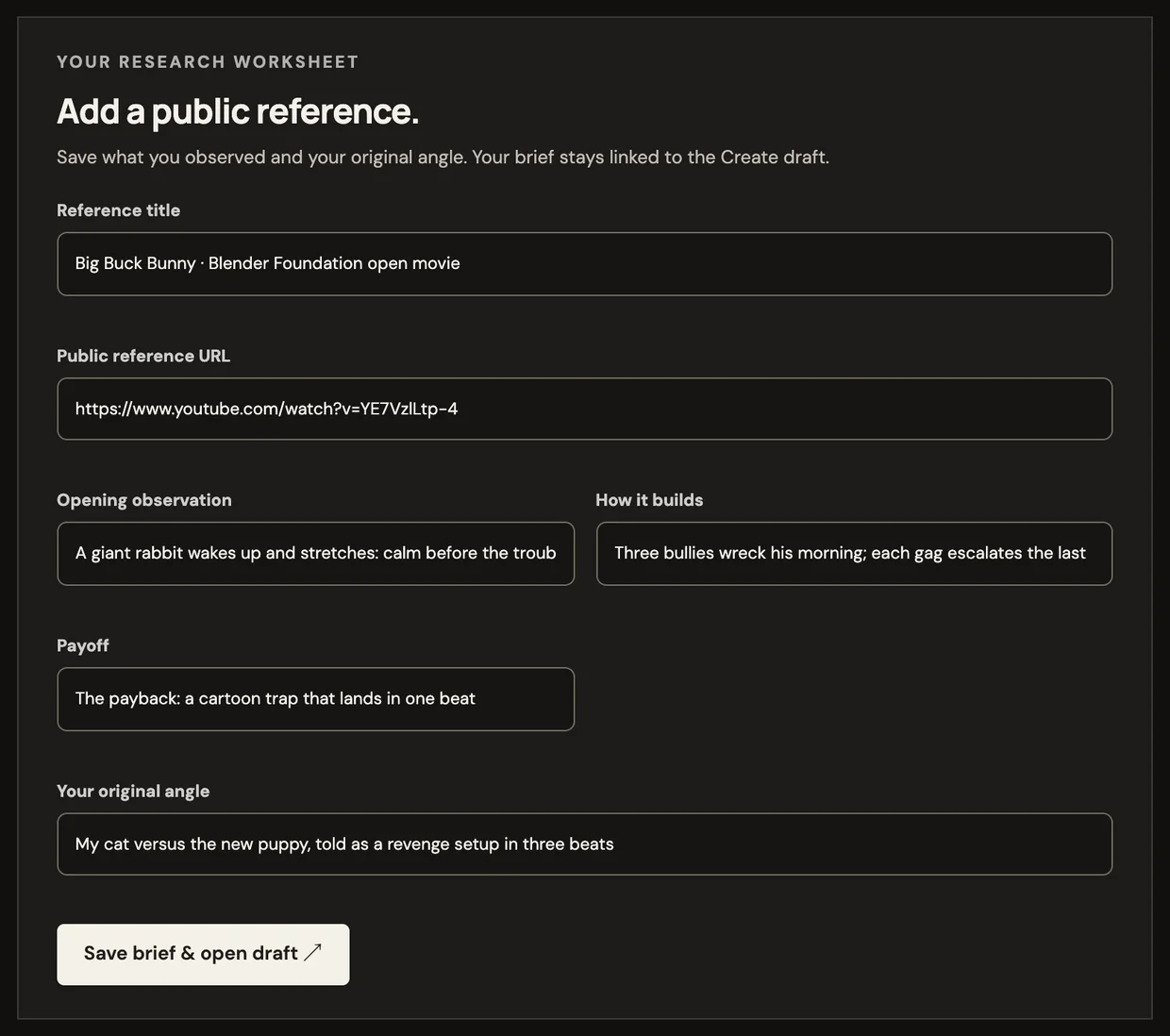 Product screen
Viral search & remix
Turn a saved research brief into an original storyboard draft
Works end to end today.
Make an original version of a Short that is working in your niche
No credit card · $3 one-time starter credit
Recipe
a brief → your version
No sample video for this tool yet, so we show the recipe instead of borrowing someone else’s footage.
What it makes
Open a saved research brief as an original storyboard draft in Create, or as a clip in Clip. The source stays linked for reference; the script, voice and visuals are yours.
How it works
Every tool feeds the same editor, so what you make here can be changed scene by scene.
Look up public YouTube Shorts in your topic, with dated view counts.
Keep the source link and write down its hook, build and payoff.
Open the brief as an original storyboard in Create or a clip in Clip.
Example prompts
Examples of what to bring to this tool.
Tips for good results
Good to know
No. It shows what got attention for someone else on a given date.
No. The brief links to it; your draft is written from your own angle.
Related tools
Product screenProduct screen Related sample
 Sample
 Sample
 Sample
 Sample
 Sample
 Sample